August 2025 · Web project
Draw Of The Day
Five minutes to draw, one minute for extra pressure, or a drawing to make together. At the end, everyone chooses whether to share their work or keep it to themselves.
- My role
- Project lead · Full stack development
- Format
- Web · Solo and duo
- Project status
- Web application
- Technologies
01The project
A drawing before the timer reaches zero.
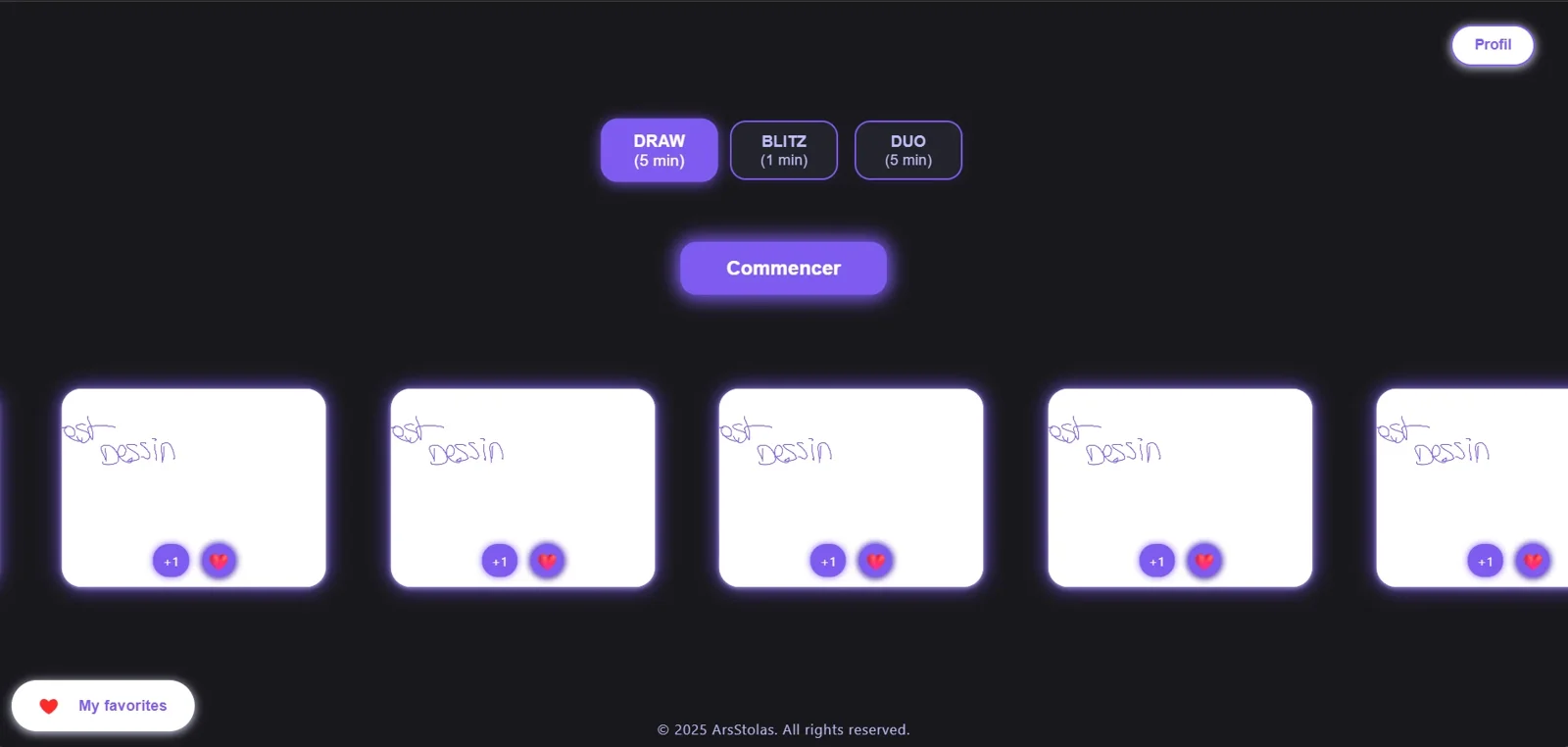
DRAW gives you five minutes to draw alone. BLITZ gives you just one. In DUO, two people share five minutes on the same drawing. The idea is simple: start drawing and see what you can make in the time available.
At the end, you can keep your drawing or publish it on the homepage. The gallery displays creations in a random order for twenty-four hours. The “test” drawings in the screenshots were mainly there to check that everything worked.
How it works
- 01
Choose
DRAW, BLITZ or DUO.
- 02
Draw
Create with the tools and timer.
- 03
Share
Preview and decide whether to publish.
- 04
Discover
Browse, like and save favourites.
02My work
The app, on screen and on the server.
I led the project and its full stack development: the drawing interface, real-time collaboration, accounts and creation management. The pencil stroke needed as much care as everything behind it.
The interface and drawing tools
I developed the timed modes and creation interface, including tools, colours and stroke sizes. The app is also designed for mobile use.
Drawing together
DUO synchronises drawings in real time. What one person draws needs to appear for the other, while both share the same five-minute limit.
Accounts and data
I also worked on email and Google authentication, profiles and drawing management: publishing, favourites, likes and downloads. It is a full stack project, from the interface to the logic and data that make it work.
03Under the hood
Everything around the canvas.
For this project, I used HTML, CSS and JavaScript with Node.js and Firebase. This stack suited the app’s needs: drawing, sharing a session and retrieving saved data. On other web and mobile projects, I also work with PHP, Python and other databases.
A drawing’s journey
Take a closer lookChoose your drawing time.
Five minutes in DRAW or DUO, one minute in BLITZ. The mode sets the available time before you start.
Draw alone or together.
Choose your tools, colour and stroke size. In DUO, the drawing is shared in real time.
Decide whether to show your drawing.
A window shows a preview before publication. The timer can end without the drawing being sent to the gallery.
Discover other people’s creations.
The gallery is designed to display drawings for twenty-four hours. You can like them, add them to favourites or download them.
Follow a drawing from choosing a mode to the gallery.
Some development choices
Leave the choice to publish
You do not necessarily want to show every drawing you finish.
I separated the timer ending from publication, with a preview and a confirmation button.
When a favourite disappears
Creations are temporary, but someone may have added them to their favourites.
The favourites window includes a message when drawings are no longer available, instead of leaving an unexplained empty space.
04In pictures
The project on screen.
5 imagesClick to enlarge ↗
Screens from the development version. The “test” drawing appears often: it rather lives up to its name.
Choose a session
Three modes and gallery access from the homepage.
The drawing space
Timer, tools, colours and stroke sizes around the drawing surface.
The profile
Account customisation and authentication settings.
Before publishing
A preview and an explicit confirmation when the drawing is finished.
Favourites
The empty state accounts for deleted or unavailable creations.
05Outcome and team
An app from drawing to sharing.
I worked on the whole chain: what you draw, what the other player receives and what the app stores. Accounts and the gallery are as much part of the project as the canvas tools.
What is in place
- Three modes, including real-time duo drawing.
- Drawing tools and account management.
- Publishing, likes, favourites and downloads.
Where the project stands
- The screenshots show the development version.
- There is no public version to try from the portfolio yet.
In DUO, strokes had to appear live for both players. I also worked on accounts, favourites and the gallery.
Want to talk about this project?
Let’s talkFrom one world to the next